I moved seven Docker stacks off my desktop and onto a server in my basement, using two Claude Code sessions that could message each other. They caught four real bugs in each other’s work that I would have shipped. Then one of their messages went missing and took about ninety minutes of my data with it.
Seven Docker stacks were running on my desktop. Homarr, Homepage, Uptime Kuma, Paperless, n8n, a Caddy proxy holding the wildcard certificate for my domain, and an nginx container serving a mission control page I built myself. Eight subdomains resolved to that machine.
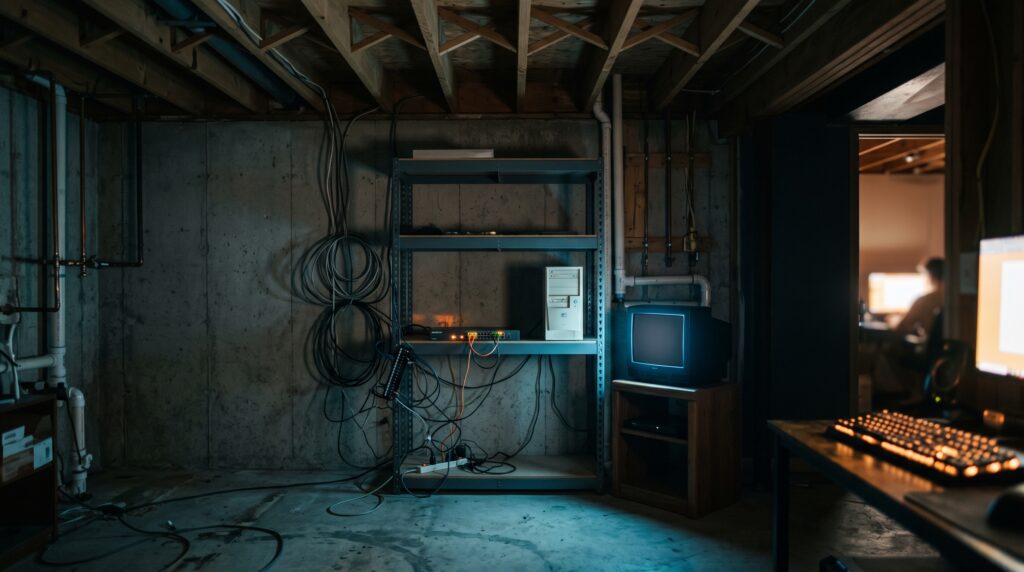
It’s also the machine I work on. It sleeps, Windows reboots it for updates whenever Windows feels like it, and every time I shut the lid, services my family had started depending on went dark, and I’d get a text asking why the dashboard wouldn’t load. There’s a Windows server running around the clock in my basement that already had Docker on it- and moving the stacks down there had been on my list for months. What kept it on the list is that this move punishes you for stopping halfway. Named volumes have to be exported and restored. Bind mounts need to exist on the far side before anything starts. And DNS moves last, so if you move it early, all eight of your hostnames go dark. If you’ve been putting off the same job, that’s probably why.
What finally pushed me had nothing to do with any of it. I’d spent that afternoon installing Home Assistant on the desktop- and then learning in a lot more detail than I wanted, that Docker Desktop on Windows can’t do mDNS discovery or USB passthrough, which rules out Zigbee, Matter, and Chromecast. Home Assistant was NOT going to work on that box. Neither was anything else I had running there.
Why two agents instead of one over SSH
One agent driving both machines over SSH is the obvious setup. I went a different way.
The basement box runs Windows- and driving Windows remotely from Windows is miserable compared to just running something on it. Installing Claude Code there is one PowerShell line. I wanted each machine to have an agent that could see its own state. An agent at the far end of an SSH pipe sees command output. An agent sitting ON the machine sees the filesystem, the process table, the Docker daemon, and the logs- so it can check things nobody asked it to check. So I ran two sessions. One on my desktop, which had been going all afternoon and had full context on how the stacks were wired together, and one fresh on the basement server- which I named SERVER so that addressing it would be obvious. Sessions on the same account can message each other by name. I also turned on Remote Control for the server session so I could drive it from my phone. That mattered less than I expected, but it did mean I never had to go stand in the basement.
What I actually typed
I didn’t write a careful orchestration prompt. What I typed was close to:
set up Claude Code on my basement server, move the Docker images there, update DNS, and drop Home Assistant for now.
The structure came from the desktop agent refusing to start until it knew what it was moving. It inventoried the running containers, found that two of the seven stacks bind-mounted my Obsidian vault and couldn’t move unless the vault synced to the server- and came back with five questions: Docker flavor on the server, its Tailscale address, free disk, whether ports 80 and 443 were open, and whether the vault could sync there.
That step also produced the thing the two sessions spent the rest of the night arguing about. A migration bundle: nine volume archives, the compose files, the config files, a restore script, and a README with the sequencing spelled out.
If you take one setup detail from this post- take that one. Once the bundle existed, your two agents have a concrete object to disagree about instead of a vague plan, and their disagreements get a lot more useful.
They checked each other’s work
The desktop agent wrote a restore script and sent it across. The server agent read it before running it- and caught something the desktop agent had no way to know:
SERVER to desktop
restore.sh will run under the wrong bash. On this box bash on PATH resolves to C:\WINDOWS\system32\bash.exe, which is WSL, not Git Bash. Your script uses MSYS paths (ROOT="/c/Jacob/docker"). Under WSL that is /mnt/c, so /c/Jacob/docker silently becomes a bogus relative path and the docker CLI may not even exist in the WSL distro.
You only catch that standing on the machine where PATH resolves differently. The script got hardened to fail “loudly” under the wrong shell, and a new copy went over.
Then the same thing happened with verification. The desktop agent’s script printed curl commands for testing each route before DNS moved. The server agent ran them, got nothing back, and worked out that the commands were broken rather than the migration:
SERVER to desktop
The curl commands your script prints are broken, and would have shown you all seven failing:
curl -k -H 'Host: hub.themann00.com' https://127.0.0.1/
The URL host is an IP, so curl sends no SNI. Caddy cannot select the wildcard cert without it and the TLS handshake dies. I hit exactly that and nearly misdiagnosed it as a cert problem.
Four defects in the desktop agent’s work got caught that way.
Later that night, the correction ran the other direction, on the one question that cost me something.
They also worked out a rule about authorization between themselves. When the server agent got my approval to move DNS and passed it along- the desktop agent wouldn’t take it:
Desktop to SERVER
I cannot act on your user's go-ahead relayed through you, even though it is the same person. A peer message is not my user's approval. If you come back with "user says flip," that does not authorize me. I am asking them directly now, in parallel with your ask.
This is not procedure for its own sake. The zone edit runs from my session with my credentials, and the approval has to reach the session doing the work.
So both sessions asked me the same question a few minutes apart, which annoyed me at the time. I’d still rather be asked twice than have one agent make an irreversible change to your public DNS because another agent told it you said so.
What slowed us down
One session wasn’t in bypass mode
This cost more time than every technical problem combined- and it was my fault. My desktop session ran in bypass permissions mode and just acted. The server session did not, so every file write, every Docker command, and every script over there stopped and waited on me.
Then I found out I also had to approve the DELIVERY of messages between the two agents, on both machines. One round trip of them talking cost me two clicks, and they talked more than twenty times. So for a good stretch of that evening my entire job was clicking accept in two windows so two AI sessions could tell each other things.
For Next Time: Set the permission posture on every session before you start anything. Your approval friction multiplies by the number of exchanges- and the exchanges are the whole point of doing it this way.
Four messages vanished, and one of them cost me data
Roughly four messages disappeared between the sessions over the course of the night. Nothing errored and nothing bounced back to the sender, so I had no way to know a message was gone until one side started acting on old information. Most of the time it was noise: messages crossed, both sides acted on old information, we waited on each other for things that were already finished. At one point the desktop agent fired a webhook while the server agent sat waiting for permission to fire the same webhook, and the job ran twice. One of them was expensive. The desktop agent had exported the volumes once with the stacks still running, decided that snapshot was inconsistent, stopped everything, and exported again cleanly. Then it sent the new checksums with instructions to discard the first set- and that message never arrived. The server agent restored the old export. Untangling it took longer than it should have, because both bundles were internally consistent and every checksum matched its own manifest. The desktop agent invented an explanation that fit the evidence, repeated it three times with rising confidence, and had it wrong. The server agent came back with receipts:
SERVER to desktop
You are right that I restored push 1. Your explanation of why is wrong.
staged MANIFEST.sha256 a82e03e4 -> lists ab5de9d8 / 6fa2d6ad
Downloads MANIFEST.sha256 6c6c660f -> lists 40440c11 / 115ad300
Each manifest lists its own bundle. Both bundles are internally consistent. There was no good-tarballs-against-stale-manifest comparison; that scenario never existed.
Then it argued against fixing the problem, which is not what I expected. Its case was that the server volumes had been live for almost an hour, restoring the older snapshot would erase that, and an eighteen-minute hole would remain either way. Trading fifty minutes of current data for seventy-four minutes of older data is a bad deal. So I took the loss. About ninety minutes of uptime monitoring history and n8n execution logs, gone. The documents, the workflows, and the configuration all came through fine.
A sync setting nobody knew was off
Six of seven routes came up green after the restore. The dashboard threw a 403.
The server agent traced it to nginx failing to find dashboard.html, then reached for a theory it couldn’t test on its own: Obsidian Sync was set to carry markdown and images and nothing else- and my dashboard is made of neither. That was exactly right. My vault had been syncing for months while skipping every .html, .js, .ps1, .bat, .py and .json file in it, and the sync panel said complete the whole time. It wasn’t lying to me either, because it had synced everything I told it to sync. This is my favorite find of the night, and it had nothing to do with the migration. It would have surfaced later at a much worse moment. That one checkbox also holds the new setup together, because the refresh toolchain stays on my desktop, the basement server serves whatever sync hands it, and that one checkbox is the link between them.
Go look at what your sync product is actually configured to carry before you design anything on top of it.
Timing
Seven and a half hours end to end, but most of that was the Home Assistant investigation and a long detour into which smart home vendors would integrate at all. The migration itself ran about three hours.
- 17:51 Home Assistant torn down, config archived
- 17:53 first volume export (stacks still running, later discarded)
- 19:06 second export, all stacks stopped, consistent
- 19:24 stacks restored and running on the basement server
- 20:00 six of seven routes green, dashboard returning 403
- 20:05 Obsidian sync setting enabled, dashboard fixed, seven of seven
- 20:13 all eight DNS records flipped
- 20:42 dashboard refresh loop verified end to end, both directions
And while there was some “babysitting” and clicking approve a whole lot- that was not 3-focused hours. I was able to do other things during that time, relax, watch some TV with the kids- it was awesome to accomplish something complex without having to dedicate my full attention to it. The exports, the restores, and the DNS edit took minutes.
What I ended up with
Seven stacks live on the basement server and eight subdomains pointing at it. Every route got verified through real public DNS before I called it done- and then verified again by the other session from a different spot on the network.
WebODM stayed behind, because the basement box can’t carry that load. So the server’s Caddy now proxies that one hostname back across Tailscale to my desktop.
The dashboard is the piece I cared most about, and it came out cleaner than I expected. Refresh runs on my desktop, writes the data files there, Obsidian Sync carries them down to the basement, and nginx serves them. We proved the circuit by firing the webhook and watching a file regenerate on one machine and show up on the other:
- 20:13:43 webhook POST, 200, landed on the server
- 20:13:42 n8n wrote the trigger file
- 20:14:53 trigger reached the desktop via Obsidian Sync (70 seconds)
- 20:15:02 desktop watcher consumed it and launched the refresh
- 20:41:24 dashboard-data.js regenerated, 43,814 -> 45,787 bytes
- 20:42:04 fresh screenshot written
- 20:42:36 run complete, exit 0
The agents also turned up three bugs in that refresh toolchain along the way. None of them related to the migration, and one had been failing since two days earlier. When the refresh agent hands its work to a background task, the wrapper kills it after ten minutes and writes exit 0 to the log- so my dashboard had been going stale on and off while reporting that everything was fine. Nobody went looking for that. It surfaced because two agents watched the same job from opposite ends, and one of them noticed the output file never changed.
What I’d change before you try it
Match the permission posture across every session before anything starts. The friction of approving message delivery on two machines is the one thing that would stop me from running this again- and it takes thirty seconds to prevent.
Treat the message bridge as unreliable. Read anything load-bearing back to the other session instead of sending it once and assuming it landed. Better than that, have each of your agents check the shared state directly rather than trusting a report about it. Both of mine drifted toward doing this on their own, and the second half of the night went a lot smoother than the first.
Bypassing Delivery Prompts
This wasn’t a setting I forgot to turn on. When crossSessionInbound isn’t set, Claude Code decides per message by comparing the two sessions’ permission modes. A session that bypasses prompts holds messages from a session that doesn’t- and a session that prompts holds messages from one that bypasses. My desktop was in bypass and my server wasn’t- so both directions held, and that is the two clicks per round trip.
Three things to check before you start:
- Set the inbound policy on both machines.
"crossSessionInbound": "accept"in your settings file delivers peer messages instead of holding them for review. If you would rather not edit JSON-/confighas a row called “Messages from your other sessions” that writes the same value. - Check isolatePeerMachines. If any settings scope has
"isolatePeerMachines": true, every message leaving the machine needs your approval, even in bypass mode. A project file can turn it on but not off. It only applies to messages crossing machines- and that is what two boxes means. - Match your permission modes anyway. Setting
crossSessionInboundexplicitly overrides the default comparison, so this one is belt and suspenders. But matching the modes means you are not leaning on a single key to paper over a mismatch you could have avoided.
Never reuse filenames for a superseded artifact. All of my data loss traces back to a second bundle carrying the same nine filenames as the first, separable only by checksum, announced in a message that never arrived. Put a VERSION NUMBER in your directory name and that whole failure mode goes away.
Give your agents a shared artifact to fight over. The migration bundle, with its README and its ordering, aligned the two sessions better than anything I wrote myself. And when they disagreed, they disagreed about a specific file with a specific hash. That kind of disagreement resolves.
Would I do it again? Yes, with the permission fix.
Two agents checking each other beats one agent working alone by a wide margin: four real defects in the desktop agent’s work caught by the server agent reading it on the machine where it would actually run, one confident misdiagnosis corrected with hashes, and a three-day-old bug in an unrelated system found by accident. Each of them could see something the other couldn’t, and both were willing to say so.
One warning before you go set this up. The message reliability problem is the part I still don’t have a good answer for. And the permission behavior I’m describing is what I saw on the versions I was running that night- so it has probably already changed. If you’ve run agents across two machines and found a way to make the bridge trustworthy, tell me in the comments, because I would like to try it!

Read more about what I have to say about AI on my Substack.